Skip to content

Beta now open for macOS

Your notes and your day, in one calm app.

Badger Notebook brings Google Docs, Tasks, Calendar and an AI assistant into one window, so you never have to leave to get work done.

Free forever plan. No credit card. Works with your existing Google account.

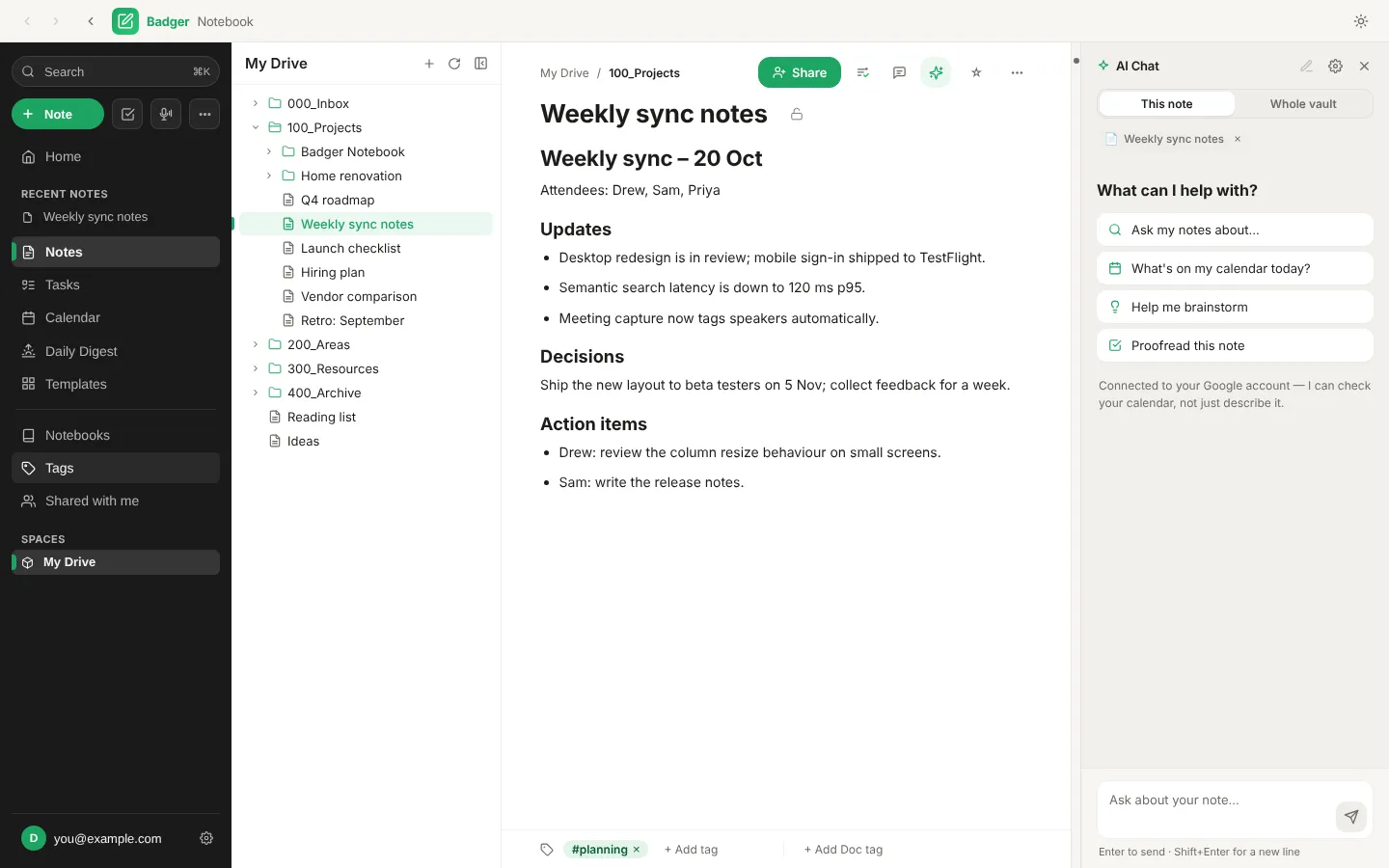
Badger Notebook with a Google Doc open in the editor and the AI Chat panel beside it

New in the beta

Stop switching between Docs, Tasks, Calendar and chat.

Everything you open in Google Workspace every day now lives in one window, with an assistant beside it that can read your notes and check your calendar, and always asks before it changes anything.

Write

Your Google Docs, without the browser tabs.

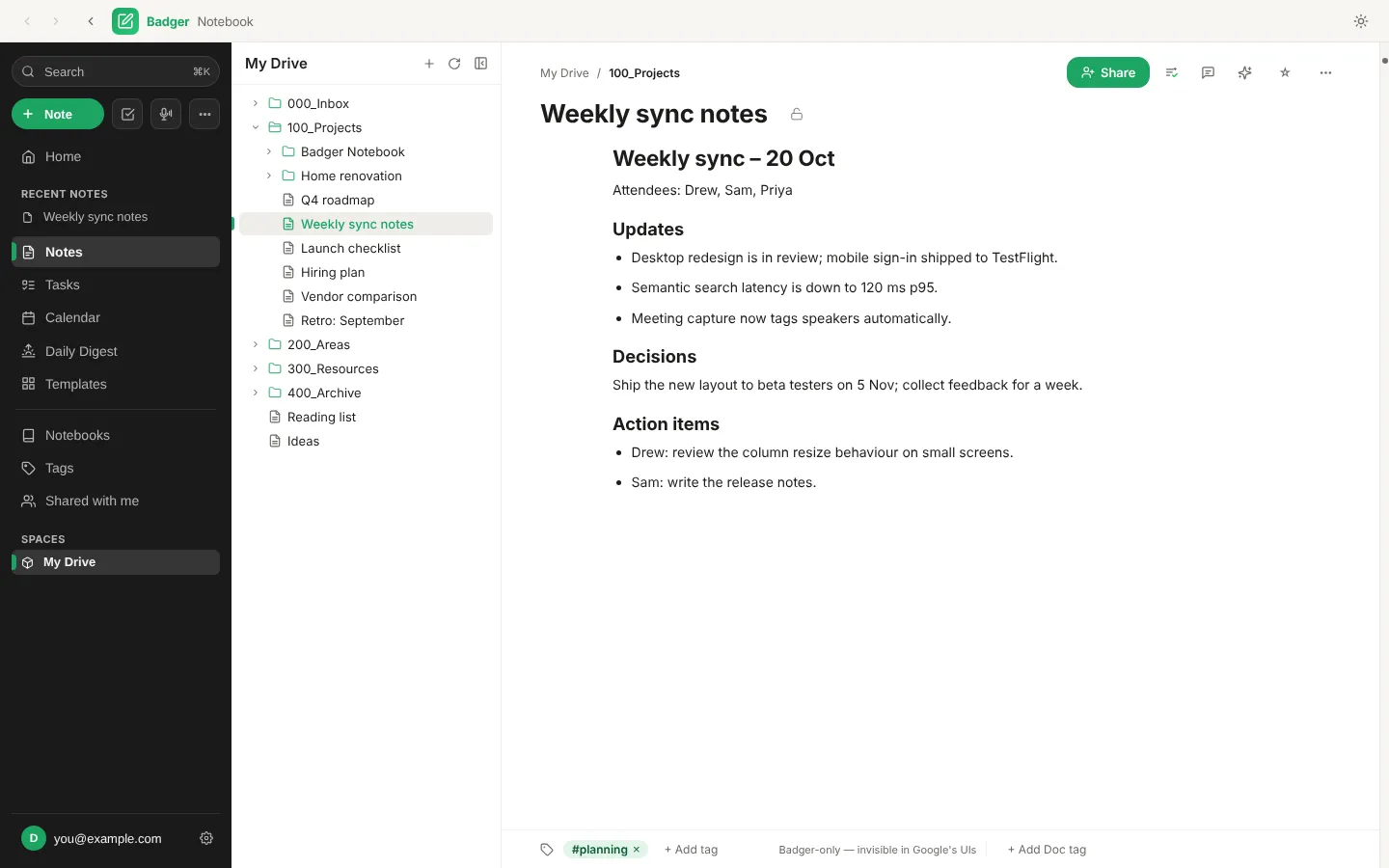
Open, edit and organise real Google Docs in a focused editor. Folders, tags and recent notes sit on the left; the page gets the rest.

  • Edits save straight back to Google Drive
  • Share with people, or download as PDF, Word or Markdown
  • draw.io, Excalidraw and Mermaid diagrams inside your notes
Try it free
A Google Doc called Weekly sync notes open in the Badger Notebook editor, with the Drive folder tree beside it

Plan

Tasks and calendar, right next to your notes.

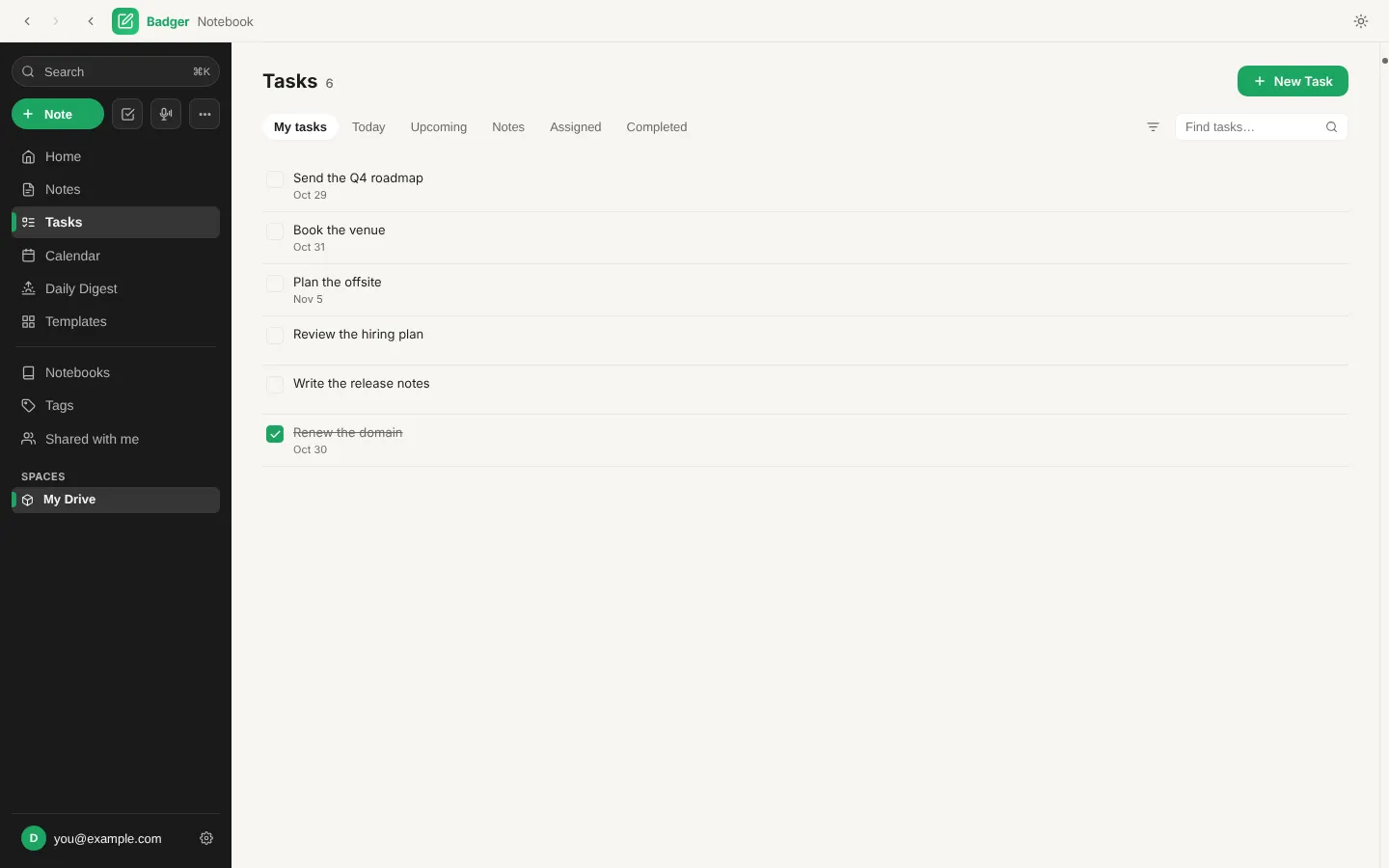
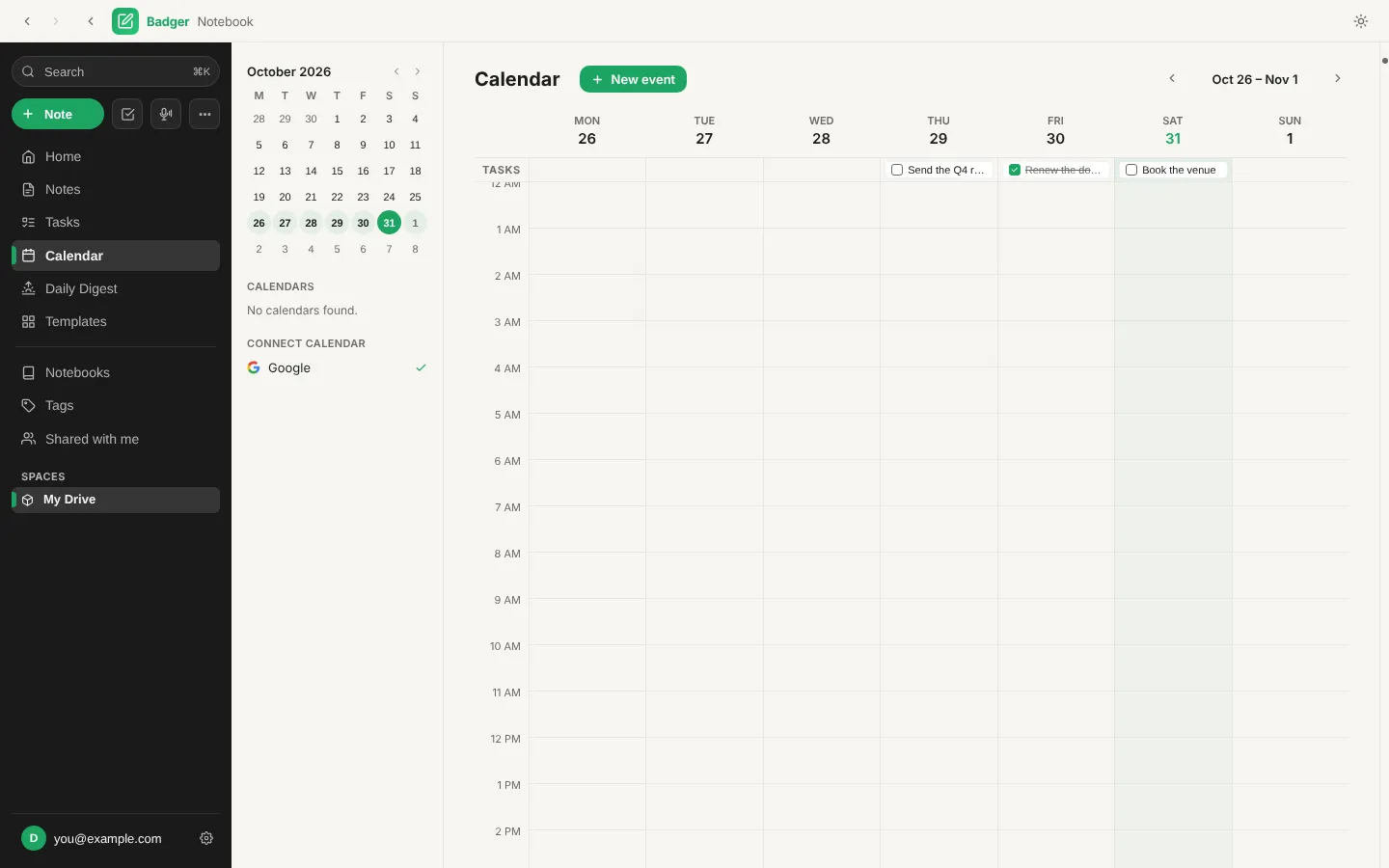
Your Google Tasks and Calendar live in the same window as the notes they came from, so planning the week never means switching apps.

  • Today, Upcoming, Assigned and Completed views
  • Tasks shown on the days they are due
  • Meeting pages with the brief, attachments and follow-ups
Try it free
The Tasks view listing six tasks with due dates and filter tabs for Today, Upcoming, Notes, Assigned and Completed

Ask

An assistant that knows your notes and your day.

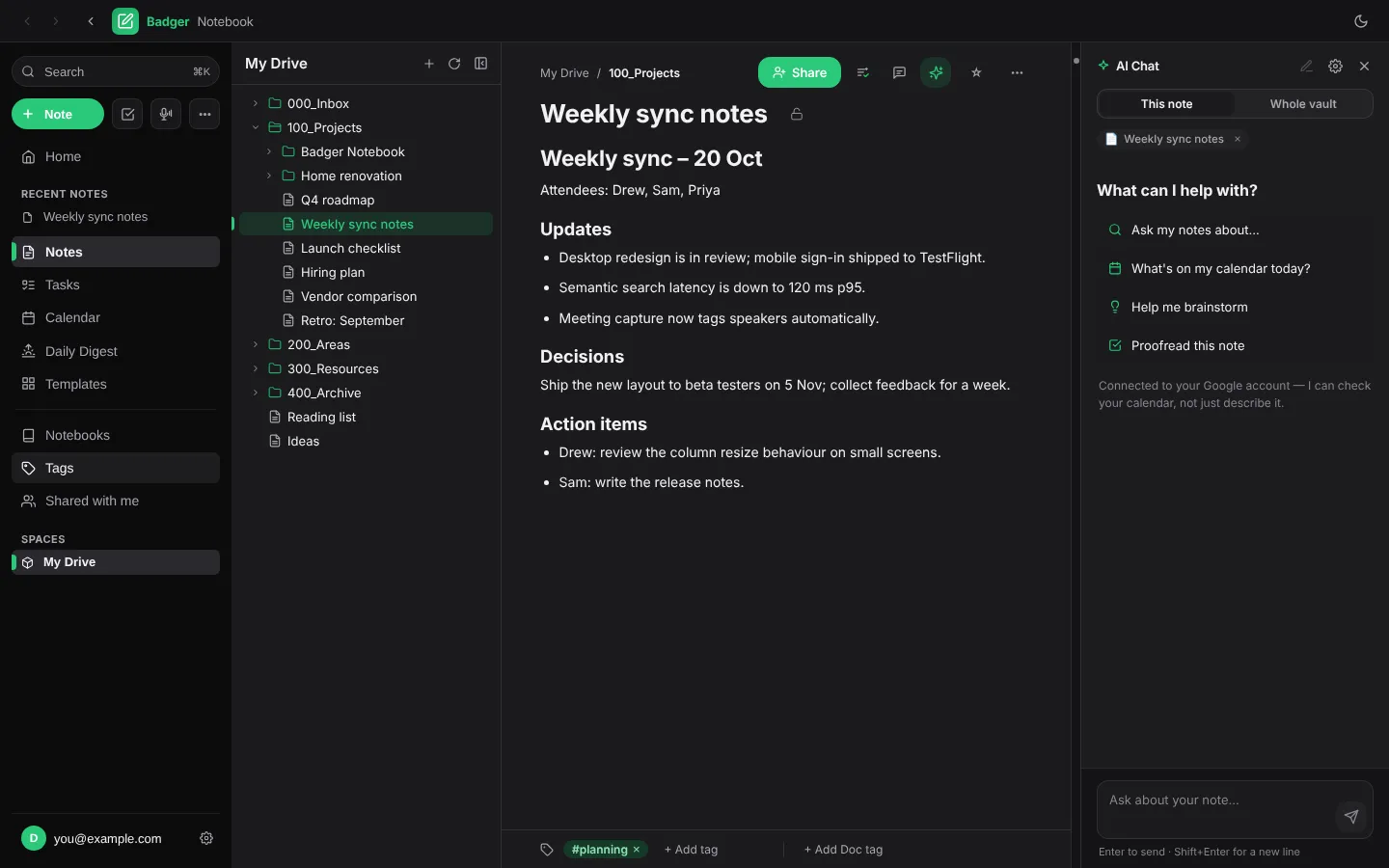
Ask about the note in front of you or your whole notebook, check what's on your calendar, or brainstorm. Answers cite the notes they came from.

  • Chat about this note or the whole vault
  • Proofreading and inline AI commands in the editor
  • Nothing changes until you approve it
Try it free
The AI Chat panel open beside a note in dark mode, offering to search notes, check today's calendar, brainstorm or proofread

Start fast

Never face a blank page.

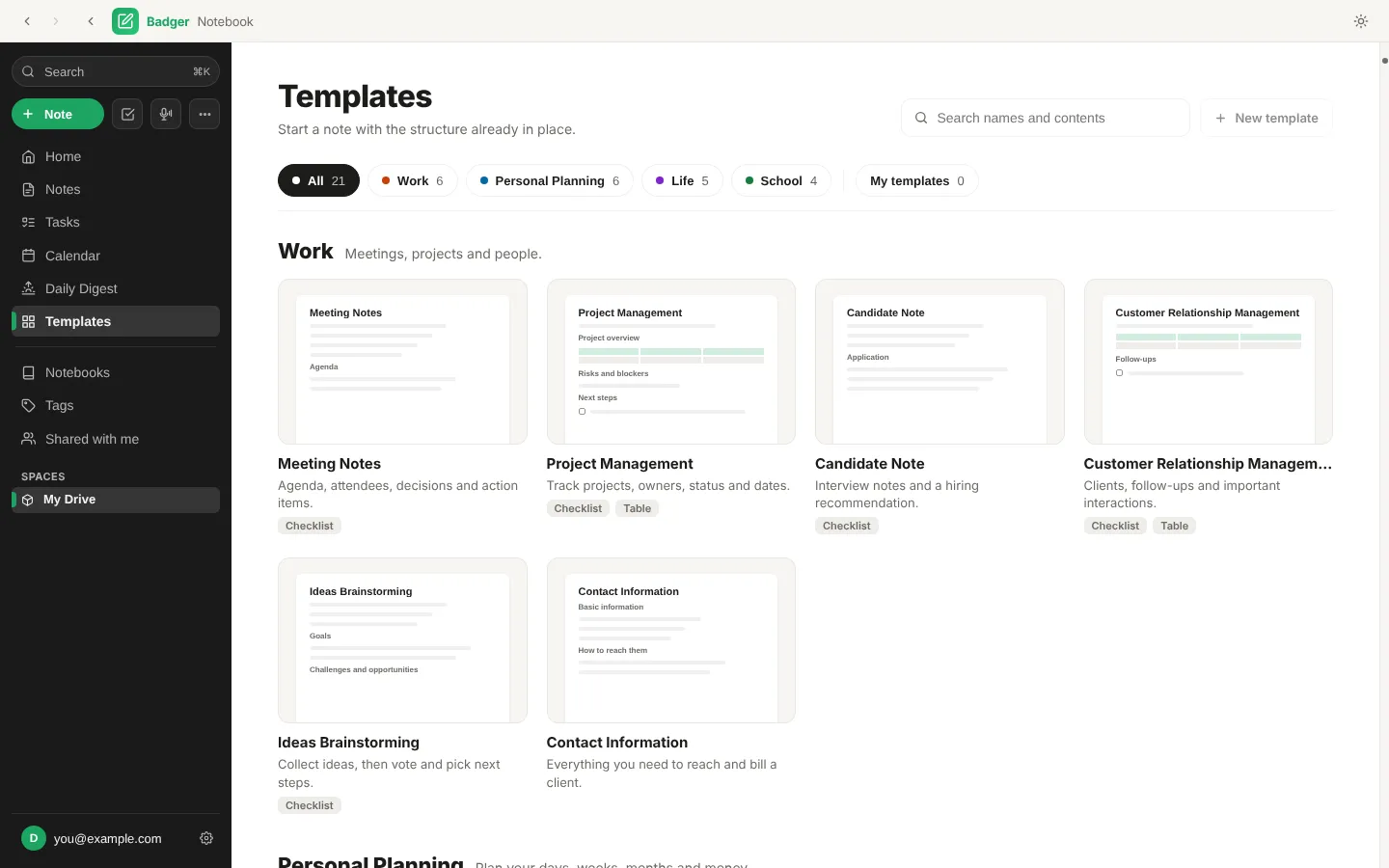
Pick from 21 ready-made templates for work, planning, life and school, or save your own. Preview it, name it, and it's created where you want it.

  • Meeting notes, project plans, journals and more
  • Search template names and contents
  • Suggestions appear in every empty note
Try it free
The Templates gallery with miniature previews of Meeting Notes, Project Management, Candidate Note and other templates

Find

Find it by what it means, not just what it says.

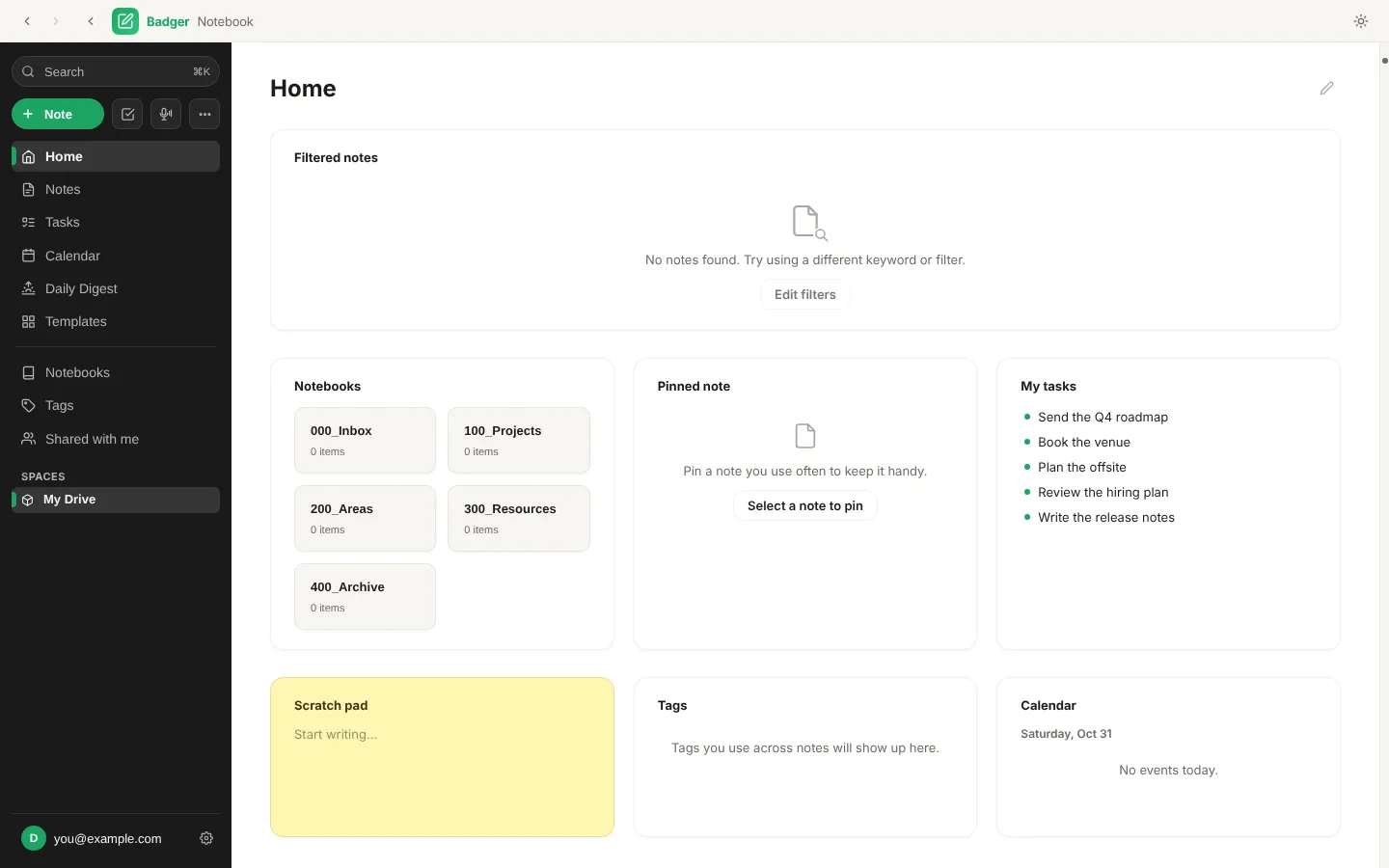
Full-text search finds the exact phrase. Semantic search finds the note you meant. Both run on your Mac, and Home keeps notebooks, tasks and today's events one glance away.

  • Instant search with Cmd+K
  • Pinned notes, a scratch pad and filtered note lists on Home
  • Notebooks, tags and Shared with me in one sidebar
  • Light, dark and Google-style themes
Try it free
The Home page with notebooks, a pinned note, my tasks, a scratch pad, tags and today's calendar

Capture

Meetings that write their own notes.

Record a meeting on your Mac and get a transcript, a summary and action items in the note. Transcription can run entirely on your device.

  • On-device transcription, no audio uploaded
  • Summaries and action items added to the note
  • A daily digest of what's coming up
Try it free
The week calendar with a month picker, connected Google calendar and tasks shown on their due days

Protect

Private by design, not by promise.

Local-first from day one. Your notes never pass through our servers.

Your files stay yours

Notes live as Markdown on your disk or as Docs in your own Google Drive. No new cloud to trust.

Encrypt what matters

Lock any local note with PGP. Encrypted notes are never sent to search indexes or AI.

You approve every change

When the assistant wants to edit, move or send something, it asks first.

Pricing

Everything free. Hosted AI for less than a coffee a week.

No note limits, no device limits, no storage upsell. Your files live where they already do.

Billing period

Free

Everything you need to run your notes, tasks and calendar.

$0Free forever

Download free
  • Unlimited notes, notebooks and tags
  • Google Docs, Drive, Tasks and Calendar
  • Full-text and semantic search
  • 21 templates plus your own
  • PGP-encrypted local notes
  • On-device meeting transcription
  • AI chat with your own API key or a local model

Best value

Badger AI

Hosted AI built in. No keys, no setup.

$7.92per month, billed $95 yearly

Start with Badger AI
  • Everything in Free
  • Hosted AI chat, ready the moment you sign in
  • Ask across your whole notebook and calendar
  • Meeting summaries and action items
  • Proofreading and inline AI commands
  • Daily digest written for you
Compare plans in detail

Get Badger Notebook

Free beta for macOS. Windows and mobile are on the way.

macOS

Universal build for Apple silicon and Intel Macs

Download for Mac

Windows

Windows 10 and 11

Coming soon

iPhone and Android

Sign in and read your notes on the go

Coming soon